Reading-Notes
JSON Web Tokens - JWT
Overview
Its considered as a method/way to transmit data safely contributers in JSON format. This information can be verified and trusted because it is digitally signed.
When to use JWT?
- Authorization
Once the user logs in every request is going to include JWT.
Single Sign On is a feature that widely uses JWT nowadays, because of its small overhead and its ability to be easily used across different domains.
- Information exchange
Its a good way to transmit data securely.
you can be sure the senders are who they say they are. Additionally, as the signature is calculated using the header and the payload, you can also verify that the content hasn’t been tampered with.
Structure of JWT
It consists of three parts seperated by dots (.)
- Header
- Payload
- Signature
So, JSON web tokens look like this:
xxxxx.yyyyy.zzzzz
Header
The header consists of two parts:
- Type of the token –> JWT
- The signing algorithm being used, such as HMAC SHA256 or RSA.
Example:
{
  "alg": "HS256",
  "typ": "JWT"
}
Then, this JSON is Base64Url encoded to form the first part of the JWT.
Payload
Contains the Claims.
Claims are Statements about the user, like additional data.
Types of Claims:
- Registered
- Public
- Private claims
Registered claims: These are a set of predefined claims which are not mandatory but recommended, to provide a set of useful, interoperable claims. Some of them are: iss (issuer), exp (expiration time), sub (subject), aud (audience), and others.
Public claims: These can be defined at will by those using JWTs. But to avoid collisions they should be defined in the IANA JSON Web Token Registry or be defined as a URI that contains a collision resistant namespace.
Private claims: These are the custom claims created to share information between parties that agree on using them and are neither registered or public claims.
Example of Playload:
{
  "sub": "1234567890",
  "name": "John Doe",
  "admin": true
}
The payload is then Base64Url encoded to form the second part of the JSON Web Token.
Signature
To create the signature part you have to take the encoded header, the encoded payload, a secret, the algorithm specified in the header, and sign that.
For example if you want to use the HMAC SHA256 algorithm, the signature will be created in the following way:
HMACSHA256(
  base64UrlEncode(header) + "." +
  base64UrlEncode(payload),
  secret)
- The signature is used to verify the message wasn’t changed along the way, and, in the case of tokens signed with a private key, it can also verify that the sender of the JWT is who it says it is.
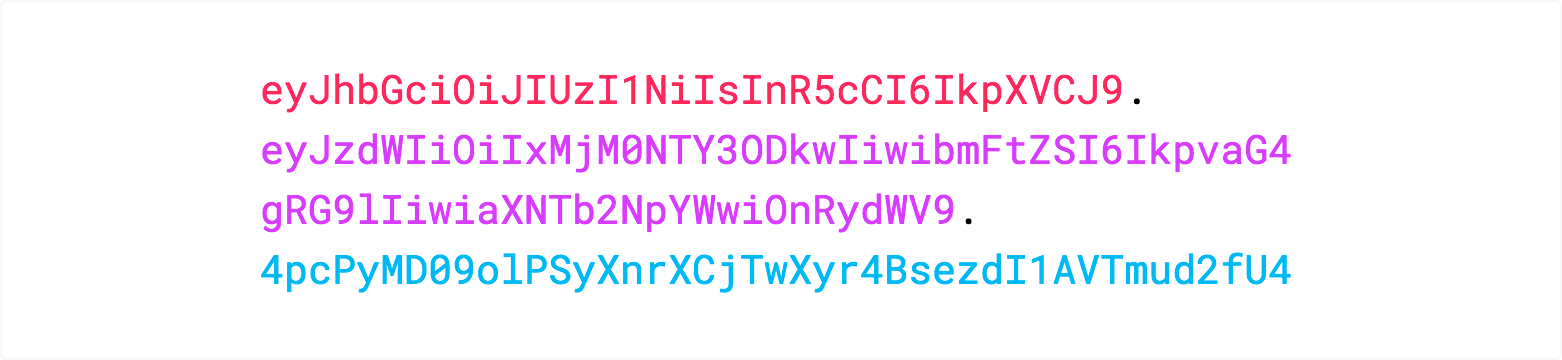
- The output is three Base64-URL strings separated by dots that can be easily passed in HTML and HTTP environments.
- The following shows a JWT that has the previous header and payload encoded, and it is signed with a secret.
How do JSON Web Tokens work?
In authentication, when the user successfully logs in using their credentials, a JSON Web Token will be returned. Since tokens are credentials, great care must be taken to prevent security issues. In general, you should not keep tokens longer than required. Whenever the user wants to access a protected route or resource, the user agent should send the JWT, typically in the Authorization header using the Bearer schema.
Header should look like this:
Authorization: Bearer <token>
- The server’s protected routes will check for a valid JWT in the Authorization header, and if it’s present, the user will be allowed to access protected resources. If the JWT contains the necessary data, the need to query the database for certain operations may be reduced.
- If the token is sent in the Authorization header, Cross-Origin Resource Sharing (CORS) won’t be an issue as it doesn’t use cookies.
- The following diagram shows how a JWT is obtained and used to access APIs or resources:
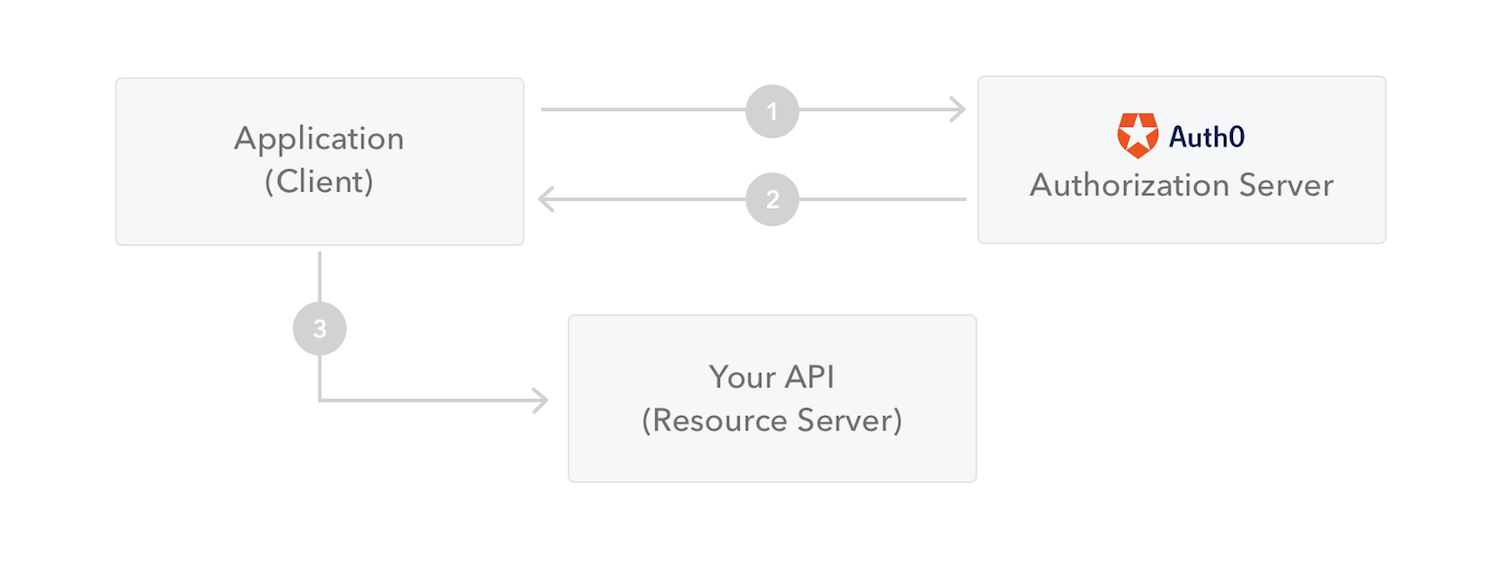
- The application or client requests authorization to the authorization server.
- When the authorization is granted, the authorization server returns an access token to the application.
- The application uses the access token to access a protected resource (like an API).
Why should we use JSON Web Tokens?
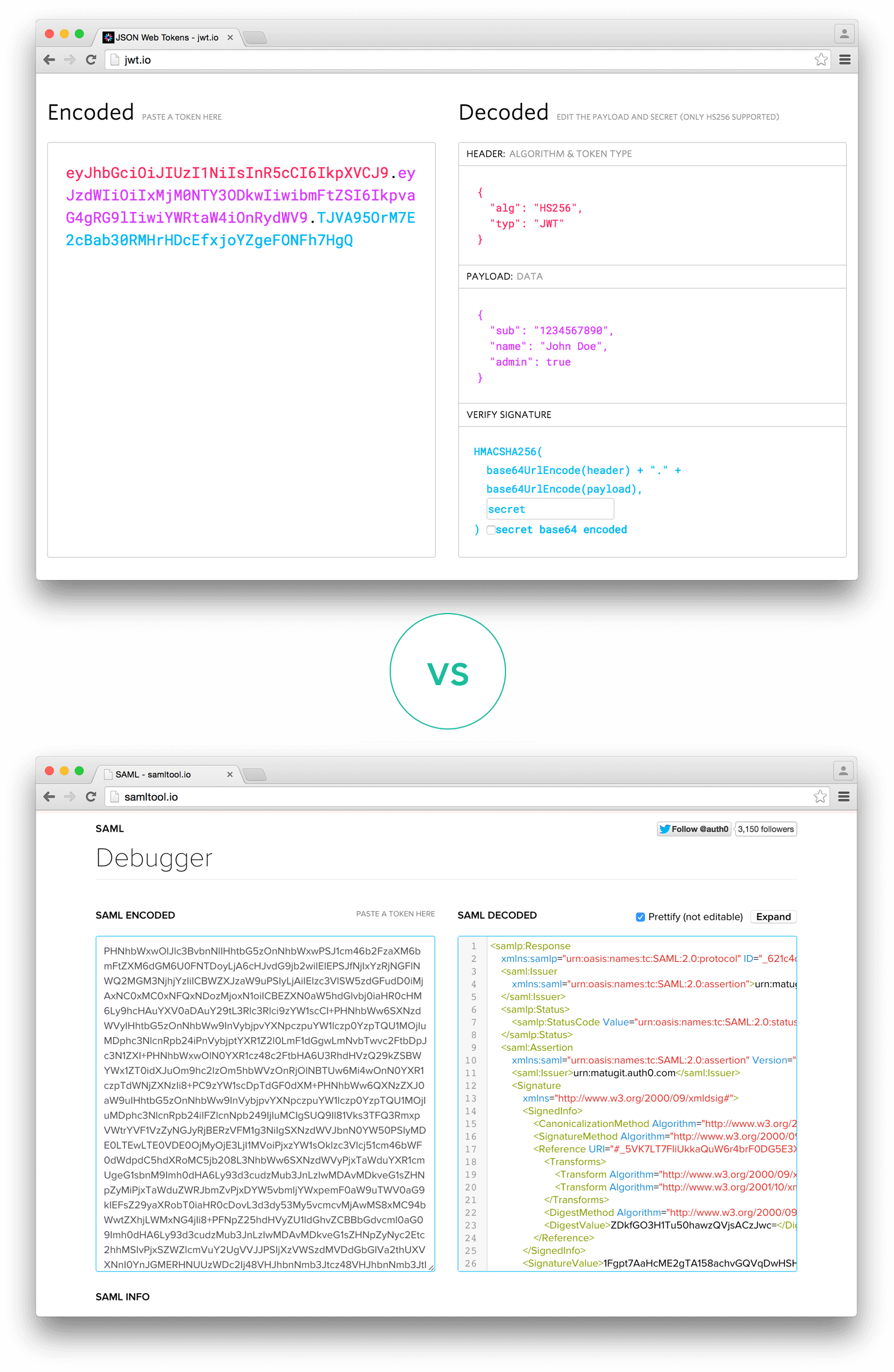
- suitable in HTML, HTTP environments as JWT is more compact than SAML(Security Assertion Markup Language Tokens).
- Security-wise
- JSON parsers are common in most programming languages because they map directly to objects.
- JWT is used at Internet scale. This highlights the ease of client-side processing of the JSON Web token on multiple platforms, especially mobile.
JWT encoded VS SAML encoded: